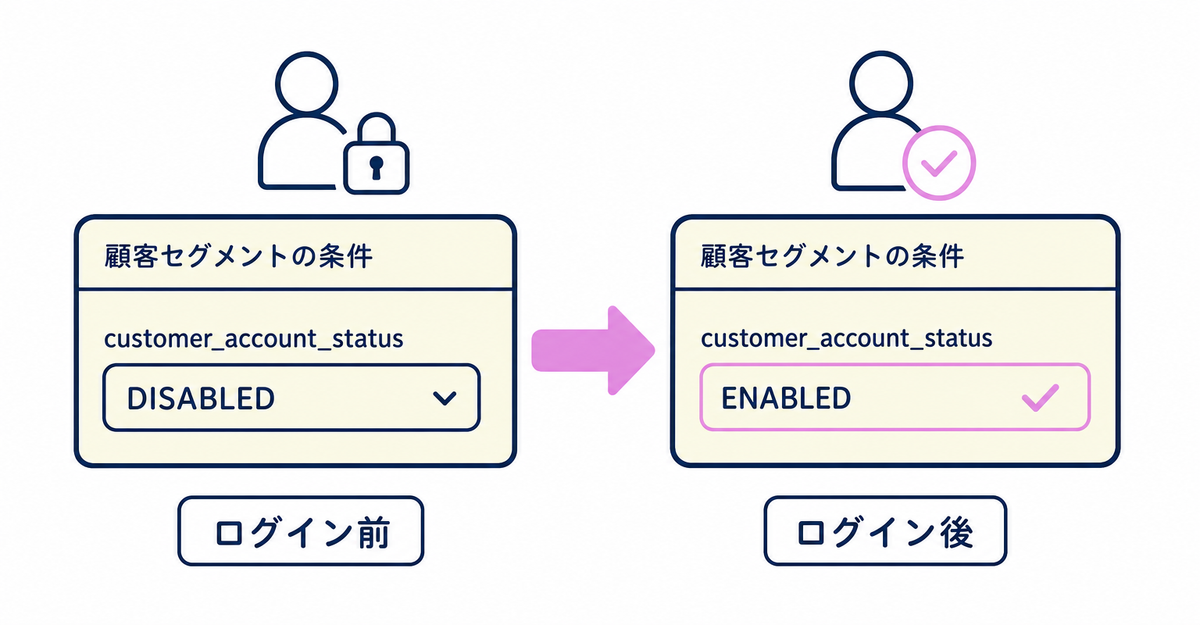
In short: You can keep using the "Customer account status" (customer_account_status) filter in customer segments after you upgrade to new customer accounts. However, the value changes to ENABLED when a customer logs in to new customer accounts for the first time. Segments that filter by DISABLED, INVITED, or DECLINED will include fewer customers as more of them log in.
Key points
- The "Customer account status" filter isn't removed after the upgrade, and you can keep using it as is
- There are four values: ENABLED, DISABLED, INVITED, and DECLINED
- When a customer logs in to new customer accounts for the first time, the value changes to ENABLED
- Customers who already created a legacy customer account stay ENABLED after the upgrade
- Sidekick doesn't check these segments, so review them manually before the upgrade
What is the "Customer account status" filter?
It's one of the conditions you use when creating a customer segment. It filters customers by how far they've gone in creating a legacy customer account or logging in to new customer accounts.
There are four values:
| Value | Meaning |
|---|---|
| ENABLED | The customer created a customer account or logged in |
| DISABLED | The customer hasn't created an account and hasn't logged in |
| INVITED | The customer was invited to create an account but hasn't accepted or declined |
| DECLINED | The customer was invited to create an account and declined |
You specify the condition like customer_account_status = 'ENABLED'.
Source: Shopify Help Center: "Shopify-based customer segment filters"
How does the value of this filter change after the upgrade?
The value changes to ENABLED when a customer logs in to new customer accounts for the first time. Customers who already created a legacy customer account stay ENABLED after the upgrade.
This change affects customer segments that use DISABLED, INVITED, or DECLINED as a condition. Right after the upgrade, the same customers match the condition as before the upgrade, but the number of customers in the segment goes down each time a matching customer logs in to new customer accounts. For example, if you use a segment to send invitations to INVITED customers, customers drop out of the segment one by one as they respond to the invitation and log in.
Source: Shopify Help Center: "Upgrading to customer accounts from legacy customer accounts"
What should you check before the upgrade?
List the customer segments that use DISABLED, INVITED, or DECLINED as a condition, and check which segments will include different customers after the upgrade.
Sidekick, Shopify's upgrade assistant, analyzes your published theme and installed apps to find customizations, but it doesn't check Shopify Flow workflows or customer segments. For these two, open the list in Customers > Segments in the Shopify admin and manually check whether any segment uses customer_account_status as a condition.
If you leave a note on each listed customer segment saying that its customers will change after the upgrade, it's easier to review them before and after the upgrade.
The items Shopify Plus stores should check before the upgrade are also covered in 3 things Shopify Plus stores should check before moving to new customer accounts. The full set of pre-migration checks is explained in 5 things to check before migrating from legacy customer accounts.
Source: Shopify Help Center: "Upgrading to customer accounts from legacy customer accounts"
What conditions should you use after a segment shrinks?
Once most of your customers have logged in to new customer accounts, "Customer account status" alone can no longer narrow down your customers. Switch to conditions that combine other customer segment filters, such as number of orders or order date.
For example, instead of sending messages to INVITED customers, you can switch to a segment based on order history or membership tier. This lets you keep filtering customers by the same criteria whether or not they've logged in. How to combine information collected with a sign-up form, such as birthdays and membership tiers, with customer segment conditions is explained in How to offer different birthday rewards by membership tier in Shopify: customer segment conditions.
Source: Shopify Help Center: "Shopify-based customer segment filters"
Related articles
- What are Shopify's new customer accounts? Differences from legacy accounts and what to do in 2026
- 5 things to check before migrating from legacy customer accounts
Frequently asked questions
Questions about new customer accounts? Ask us anytime.
We can help you review your customer segments before the upgrade and plan how to run your store after the migration. Our dedicated team creates customer metafields, sets up sign-up form fields, and places profile page blocks for you, free of charge.