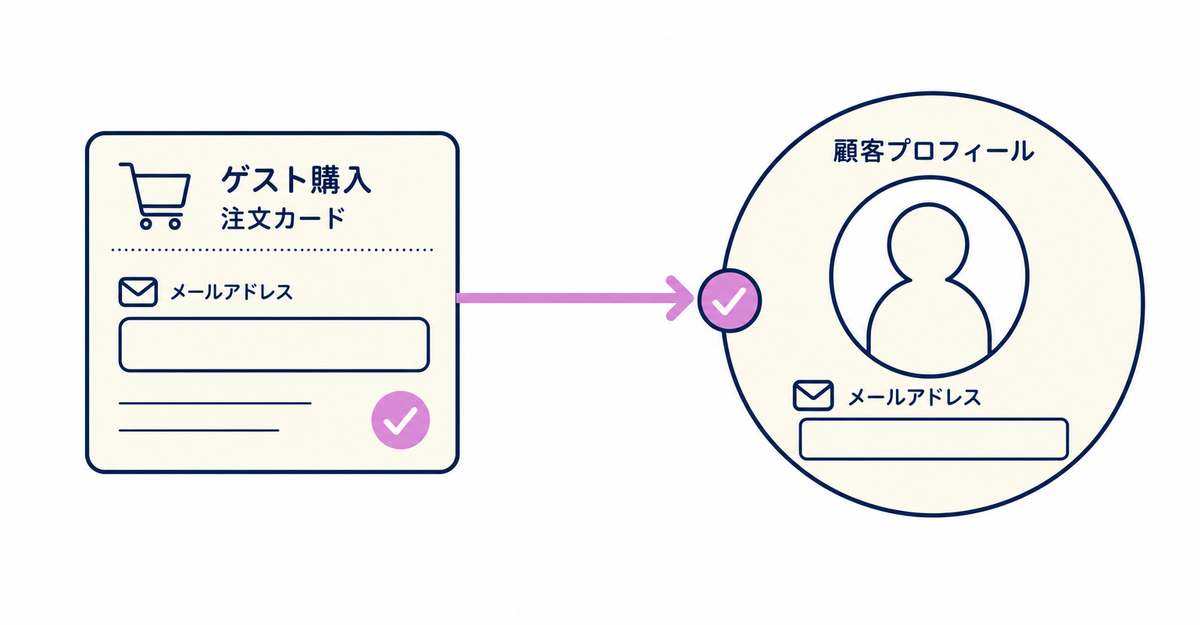
In short: Guest orders are recorded in a customer profile under the email address entered at the time of the order. If the customer later signs up with the same email address, they log in to that customer profile, and their guest orders also appear in their order history. If they sign up with a different email address, a separate customer profile is used and those orders don't appear.
Key points
- Guest orders are recorded in a customer profile under the email address used for the order
- If the customer signs up with the same email address, they log in to that customer profile, and their guest orders also appear in their order history
- If the customer signs up with a different email address, their guest orders don't appear
- If a customer has signed up with a different email address, you can bring the orders together by merging the two customer profiles in the Shopify admin
- A customer profile is created when an order is placed, even if the customer hasn't signed up
If a customer places a guest order before signing up, does the order appear in their history after they sign up?
Yes, if the customer signs up with the same email address they used for the guest order. Customers who already have a customer profile can see the orders recorded in that profile by logging in with that email address.
Sign-up and login don't use passwords. When the customer enters their email address, a one-time 6-digit verification code is sent, and entering it logs them in. In addition to passwordless authentication, customers can also choose to log in with Shop or with social login through Google or Facebook. With any of these methods, the customer profile is identified by the email address used to sign in. The basics of new customer accounts are explained in What are Shopify's new customer accounts? Differences from legacy accounts and what to do in 2026.
Source: Shopify Help Center: "Customer accounts"
If a customer signs up with a different email address, do their guest orders appear?
No. An order is permanently associated with the customer profile that placed it, and the order's email address is used as a unique ID, so individual orders can't be moved to a different customer profile.
When a customer logs in with a different email address, it's treated as an email address that isn't associated with an existing profile, and a new customer profile is created automatically. This is the case even if the name and phone number are the same as for the guest order. Each customer profile can have only one email address, and profiles are distinguished by this email address.
Source: Shopify Help Center: "Managing customers"
If a customer signed up with a different email address, is there a way to bring their order history together?
Yes. In the Shopify admin, go to Customers and merge the two customer profiles to bring the order history together. Merging combines orders, addresses, email addresses, phone numbers, and more into one profile.
When you merge, orders, draft orders, addresses, email addresses, phone numbers, names, notes, tags, tax settings, timeline events, credit cards, customer accounts, gift cards, and discounts are all kept together in one profile. As for which email address remains after the merge: if only one profile has an email address, that profile remains; if both profiles have an email address, the profile associated with the email address you choose to keep in the merged profile remains.
To merge, go to Customers in the admin, open the profile of the customer you want to merge, select Merge customer from More actions, then search for and select the other customer profile by name, email address, phone number, credit card number, or similar details. Before merging, you can review in the merged customer section which information will be merged and which will be discarded, and you can also change the contact information. Once you merge, you can't undo it.
However, you can't merge profiles if either profile has a saved credit card, has a subscription contract, has a store credit account, has been deleted, or has been redacted.
Source: Shopify Help Center: "Managing customers"
When a customer places a guest order, when is the customer profile created?
A customer profile is created when an order is placed, even if the customer hasn't signed up. A customer profile is created when a customer subscribes to your mailing list or signs up for a customer account, places an order, or starts checkout but abandons it.
A guest order falls under "places an order," so customer profile information is recorded with every order, whether or not the customer has signed up.
The setup steps are in How to add a sign-up form to new customer accounts (Howdy). You can find answers to other questions about sign-up forms in Sign-up forms for Shopify new customer accounts: 14 frequently asked questions.
Source: Shopify Help Center: "Managing customers"
Related articles
- Sign-up forms for Shopify new customer accounts: 14 frequently asked questions
- What are Shopify's new customer accounts? Differences from legacy accounts and what to do in 2026
Frequently asked questions
Questions about new customer accounts? Ask us anytime.
We can help with planning sign-up form fields for stores with many guest orders and with migrating from another sign-up form app. Our dedicated team at Howdy creates customer metafields, sets up sign-up form fields, and places profile page blocks for you free of charge.