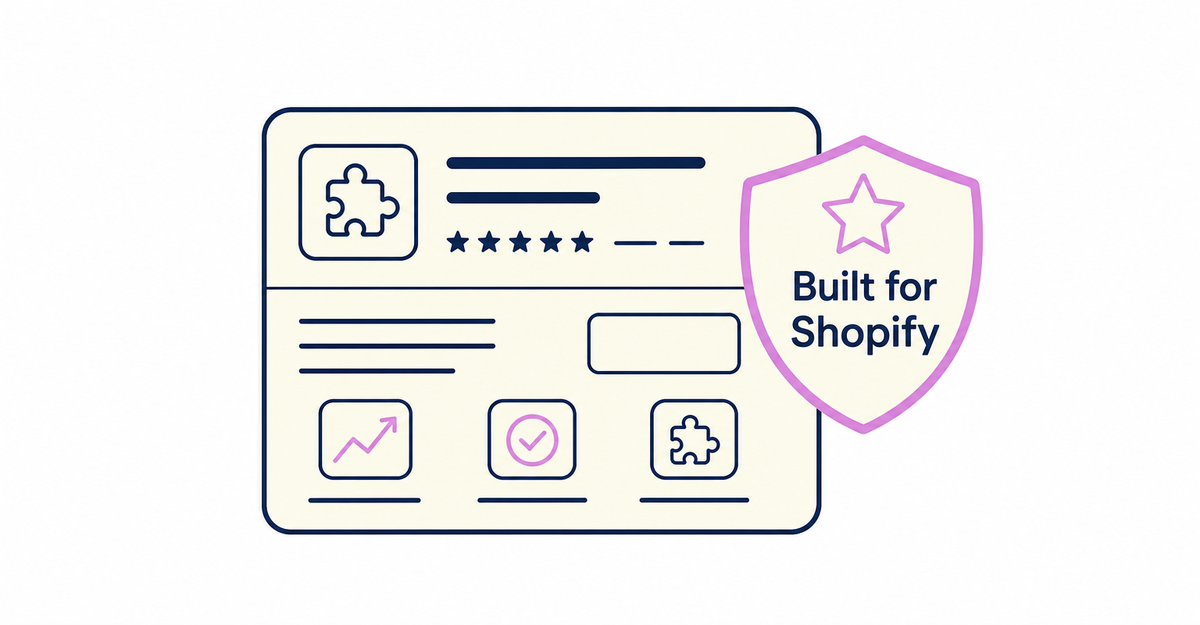
In short: Built for Shopify is a certification badge shown on apps that meet three criteria set by Shopify: performance, design, and integration. You can see it in Shopify App Store search results and on app listing pages, and it helps you compare several apps that have the same features. Certification is reviewed every year, and the badge is no longer shown when an app stops meeting the criteria. The system works the same way for apps in every category, including sign-up form apps.
The Shopify App Store has several apps with the same features, and sign-up form apps are no exception. Besides functional differences, such as which fields an app can save and where it can display them, the Built for Shopify badge, which shows the result of Shopify's quality review, also helps you compare apps.
Key points
- Built for Shopify is a certification badge shown on apps that meet the criteria in three areas: performance, design, and integration
- An app loses the badge when it no longer meets the criteria, and Shopify reviews certification every year
- You can check for the badge on app listing pages, with the App Store filter option, in the Built for Shopify guide, and by asking Sidekick
- The badge shows an app's quality standard, so check differences between apps, such as the fields they can save and their pricing, separately
- Howdy: New Customer Accounts Sign-Up Form is Built for Shopify certified
What is Built for Shopify?
Built for Shopify is a badge shown on the listings of apps that have passed Shopify's rigorous testing and meet its highest quality standards. You can see it in Shopify App Store search results and on app listing pages.
The badge shows that an app meets requirements in three areas set by Shopify. When you compare several apps with the same features, whether an app has the badge is a guide to whether it meets the quality standards.
For apps like sign-up form apps, which affect both your storefront and what customers do on it, it's worth comparing not only features but also your store's loading speed and how easy the app is to use in the admin. The Built for Shopify badge shows that Shopify has reviewed these two points.
Source: Shopify Help Center: "Finding and choosing apps"
What criteria does an app need to meet for Built for Shopify certification?
Certification has requirements in three areas: performance, design, and integration. The badge appears on apps that meet all three. Apps that no longer meet the requirements lose their Built for Shopify status.
| Area | Requirement |
|---|---|
| Performance | The app doesn't lower storefront speed by 10 performance points or more |
| Design | The app follows Shopify's design standards and provides reliable features and a consistent experience in the admin |
| Integration | The app uses Shopify's latest technical standards and is fully compatible with the admin and core features |
Shopify reviews certification every year to maintain its quality standards.
Source: Shopify Help Center: "Finding and choosing apps"
How do the three Built for Shopify criteria benefit your store?
The requirements in the three areas keep your store loading fast, keep operations in the admin consistent, and maintain compatibility with the admin and core features. The Shopify Help Center explains what each requirement means for your store as follows.
The performance requirement prevents an app from lowering your storefront's speed by 10 performance points or more when you add it, and by keeping your store fast, it limits the impact on sales and search rankings. The design requirement asks apps to follow Shopify's design standards and ensures that app features in the admin are reliable and work consistently with the rest of the admin. The integration requirement shows that an app supports Shopify's latest technical standards and keeps your workflows in the admin uninterrupted when you use the app together with the admin and core features.
Source: Shopify Help Center: "Finding and choosing apps"
Is the Built for Shopify badge the same as the App Store's "Ad" label?
No. The Built for Shopify badge is a certification showing that an app meets the three criteria. The Ad (「広告」) label appears on apps that developers pay Shopify to display, and it's separate from any quality certification.
Only apps approved by Shopify's quality assurance team can run ads in the Shopify App Store, but running ads doesn't mean an app is Built for Shopify certified. Ads appear on the home page, category pages, and search results pages. Developers can narrow down where their app is advertised by specifying categories and search keywords, but they can't customize how the ad itself looks. There's no setting to opt out of seeing ads, and you can send feedback about ads you see to Shopify. When you compare apps, treat the Ad label and the Built for Shopify badge as separate pieces of information.
Source: Shopify Help Center: "Finding and choosing apps"
How are Built for Shopify certified apps recommended?
App recommendations from Shopify, including Built for Shopify certified apps, are chosen based on trends among other stores with attributes similar to yours, such as industry, location, and when the store opened, and on how you currently use Shopify.
Recommendations appear in these places: the search bar that opens when you click Apps in the admin (a list of apps and a link to "All recommended apps" (「すべてのおすすめアプリ」)), the "Apps you can trust to run your business" (「ビジネスを安心して任せられるアプリ」) section on the admin home page, the "Popular with stores like yours" (「あなたのストアと似たストアで人気」) and "Built for Shopify (recommended for you)" (「Built for Shopify(あなたにおすすめ)」) sections on the Shopify App Store home page, and the Built for Shopify App Store guide, which collects certified, high-quality recommended apps. You can also ask Sidekick to show recommended apps.
These recommendations aren't ads, and app developers can't pay Shopify to appear in them. They're chosen through a different system from the apps with the Ad label described in the previous section.
Source: Shopify Help Center: "Finding and choosing apps"
What can you ask Sidekick about choosing apps?
You can ask Sidekick in the admin for help choosing apps. Describe the features you need, or ask for recommendations about a specific app, and Sidekick can show matching apps, compare them with similar apps, and start the installation right from the chat.
In the same conversation, you can also ask for recommendations limited to Built for Shopify certified apps.
After you narrow down candidates by keyword search or by browsing categories, tell Sidekick your specific needs (the fields you want to collect, where you want them to appear, the theme you need supported, and so on) to make comparing the candidates easier. You can also ask Sidekick in the admin about admin tasks other than finding apps.
Source: Shopify Help Center: "Finding and choosing apps"
Where can you find Built for Shopify apps?
You can find Built for Shopify certified apps by the badge on app listing pages, with the filter on App Store search and category pages, in the Built for Shopify guide, and by asking Sidekick.
| How to find them | Details |
|---|---|
| App listing page | The Built for Shopify badge appears near the app name |
| Filter on search and category pages | Use the "Built for Shopify" filter option to show only certified apps |
| Built for Shopify guide | Browse certified, high-quality recommended apps in one place |
| Asking Sidekick | Tell Sidekick in the admin what you need an app for, and it shows recommendations that include Built for Shopify apps |
Once you've narrowed down candidates by keyword search or by browsing categories, add the "Built for Shopify" filter option on the search or category page to reduce the candidates in the same category to certified apps only.
Source: Shopify Help Center: "Finding and choosing apps"
How does the Built for Shopify badge help when you choose a sign-up form app?
The Shopify Help Center recommends looking for the Built for Shopify badge when you compare similar apps, as a sign of certified, high-quality apps. It gives you a guide to quality when you compare sign-up form apps with the same features.
The Shopify Help Center lists four questions to consider before you choose an app:
- What does your store need beyond Shopify's core features?
- How can you increase sales?
- How can you make managing your store easier?
- How much can you spend on apps?
If your store's settings don't meet an app's installation requirements, the Shopify App Store shows the app as Not compatible (「互換性なし」), and you can't install it. There are five types of installation requirements: POS, shipping countries, currency, business address, and online store. On the listing page of an incompatible app, you can see which requirements your store doesn't meet.
The five points to compare in sign-up form apps (the fields they can save, where they can display them, how much setup work they take, support languages, and pricing approach) are covered in How to choose a sign-up form app for Shopify: 5 points to compare.
Source: Shopify Help Center: "Finding and choosing apps"
Do the Built for Shopify criteria cover the personal information an app can access?
The requirements for Built for Shopify certification cover three areas: performance, design, and integration. Check the scope of personal information each app can access on the confirmation screen before installation and on the app's page in the admin.
Every app you install can access personally identifiable information related to your Shopify account, such as contact information and location. The Shopify Help Center groups the personally identifiable information that apps might access into four types: customers, store owners, staff, and content providers (blog authors and commenters). Among apps that handle orders, apps granted access to recent orders can access only order data from the past 60 days, and for apps that request access to all orders, Shopify reviews whether they need that data.
Open the apps page in the admin from Settings > Apps. To find out how an app uses and erases data, check the privacy policy link on its App Store listing or ask the app developer. The steps for checking are covered in How to check what customer data Shopify apps can access: permissions and what happens after uninstalling.
Sources: Shopify Help Center: "Finding and choosing apps" / Shopify Help Center: "Installing and setting up apps" / Shopify Help Center: "Managing apps"
If an app has the Built for Shopify badge, do you still need to check its reviews?
Yes. The Built for Shopify badge shows a quality standard reviewed by Shopify. App reviews show how other merchants who actually installed the app felt about using it. The two are different kinds of information.
App reviews include a star rating, and the overall rating is calculated as a weighted average that prioritizes the most timely and relevant reviews. When a review is published, it shows the store name, the country or region, and how long the store has had the app installed. A submitted review isn't always published right away: checking that it complies with policies can take time, and reviews can be removed or archived over time. Developers can reply to reviews and add support tips or further explanation. Some apps show a review summary powered by Shopify Magic. If you find fake reviews, incentivized reviews, or reviews that violate policies, you can report the violation.
Once you're using an app, you can review apps installed on your store. In the reviews section of the app listing page, select Write a review (「レビューを書く」), choose a star rating, optionally enter feedback in the field for describing your experience, and submit. You can leave one review per app, and you can update it after it's published, including the star rating. Checking the quality standard with the Built for Shopify badge and then checking other merchants' experience in reviews lets you compare apps with day-to-day use after installation in mind.
Source: Shopify Help Center: "Finding and choosing apps"
Is Built for Shopify certification related to app pricing?
The requirements for Built for Shopify certification cover three areas: performance, design, and integration. Check an app's pricing in the Pricing (「料金」) section, which you reach by clicking the app name and scrolling down the page.
Apps can charge a monthly fee, a one-time fee, or usage-based charges, and most paid apps offer a free basic plan or a free trial. Most apps made by Shopify are free. Even if you pause or deactivate your store, charges can continue until you uninstall an app, so uninstall apps you no longer use before pausing your store.
Checking the quality standard with the Built for Shopify badge and then checking pricing separately in the Pricing section also covers "pricing approach," one of the five points in How to choose a sign-up form app for Shopify: 5 points to compare.
Source: Shopify Help Center: "Finding and choosing apps"
Is Howdy Built for Shopify certified?
Yes. On the Shopify App Store listing page for Howdy: New Customer Accounts Sign-Up Form, Built for Shopify appears directly below the app name, above the pricing section.
If you add the Built for Shopify badge to the five points for comparing sign-up form apps (the fields they can save, where they can display them, how much setup work they take, support languages, and pricing approach), you can also take into account whether an app meets the quality standards.
Source: Shopify App Store: "Howdy: New Customer Accounts Sign-Up Form" listing page
Related articles
- How to choose a sign-up form app for Shopify: 5 points to compare
- How to check what customer data Shopify apps can access: permissions and what happens after uninstalling
Frequently asked questions
Questions about new customer accounts? Ask us anytime.
Along with the five points for comparing sign-up form apps, you can ask us how to read the Built for Shopify badge and about the initial setup for sign-up. With our free setup service, our dedicated team creates customer metafields, sets up the sign-up form fields, and places blocks on the profile page for you.