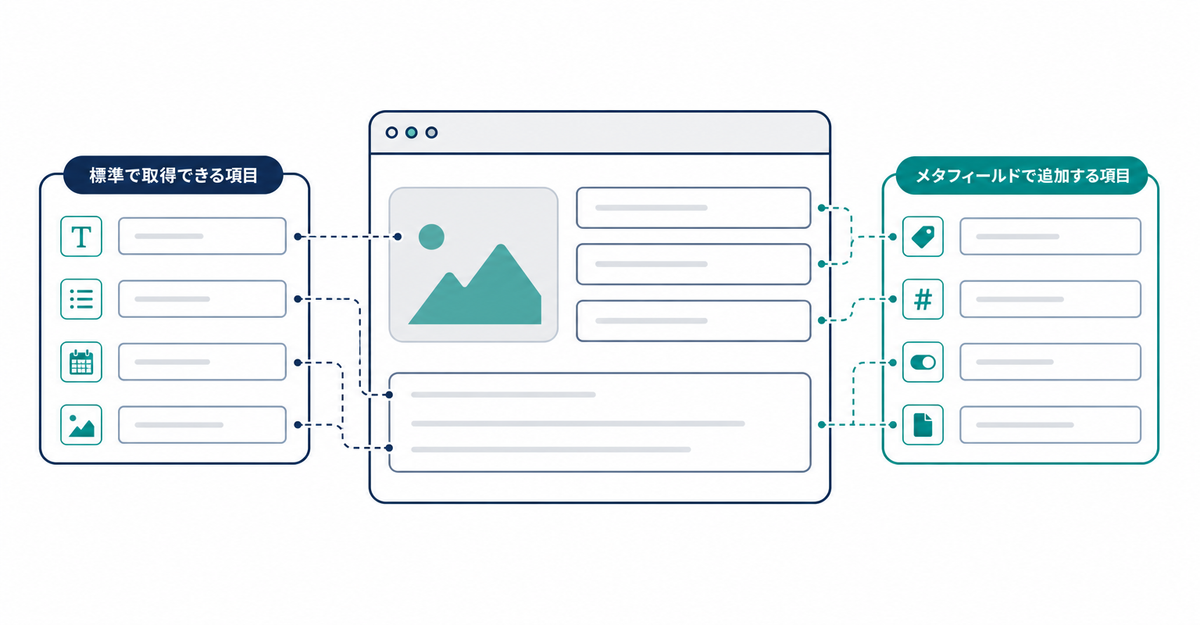
In short: Standard sign-up in new customer accounts collects only the email address. Customers add their name and shipping address themselves after logging in. For information that isn't among Shopify's standard fields, such as birthdays or terms of service consent, create customer metafields and add them to the Howdy sign-up form as custom fields.
Key points
- At sign-up, customers enter only their email address, and the account is created with a 6-digit verification code
- After logging in, customers add and edit their name, email address, and shipping address from the account page
- The standard fields Shopify can store for each customer include name, email address, phone number, language preference, multiple addresses, and email, SMS, and WhatsApp marketing consent
- Information that isn't standard, such as birthdays or terms of service consent, is stored by creating customer metafields
- You can add Shopify's standard fields and metafield fields side by side to the sign-up form
What does standard sign-up collect in new customer accounts?
Customers enter only their email address at sign-up. A one-time 6-digit verification code is sent to that email address, and entering the code creates the account. After logging in, customers add and edit their name and shipping address from their own account page.
Source: Shopify Help Center: "Customer accounts"
What fields can Shopify store for each customer by default?
A Shopify customer profile can store name, email address, phone number, language preference, multiple shipping addresses (including a default address), and email, SMS, and WhatsApp marketing consent as standard fields. Tags and notes are added by staff from the Shopify admin. Customers don't enter them themselves.
Source: Shopify Help Center: "Managing customers"
How do you collect information that isn't standard, such as birthdays or terms of service consent?
Store information that isn't among Shopify's standard fields by creating customer metafields. In the Shopify admin, go to Settings > Metafields and metaobjects > Customers, click Add definition, and choose a type for each field, such as Date for a birthday or True or false for terms of service consent. When you add the metafields you created to the Howdy sign-up form as custom fields, they appear as input fields.
Sources: Howdy Help: "① [Preparation] How to set up customer metafields" / Shopify Help Center: "Metafields"
How do you use standard fields and metafield fields in the sign-up form?
In the Howdy sign-up form, you can add Shopify fields and custom fields side by side. Shopify fields are fields stored by default in Shopify's customer data, such as name, phone number, and address. Custom fields are customer metafields you created beforehand. For each field, you set whether it's required or optional, its display label, and its order. The setup steps are in How to add a sign-up form to new customer accounts (Howdy).
Source: Howdy Help: "③ [Initial Setup] Registration Form"
Related articles
- How to add a sign-up form to new customer accounts (Howdy)
- How to collect newsletter consent at sign-up in Shopify: updating the subscription status
Frequently asked questions
Questions about new customer accounts? Ask us anytime.
If you want to collect more fields at sign-up, ask us about anything from designing your metafields to adding them to the sign-up form. Our dedicated team at Howdy creates customer metafields, sets up sign-up form fields, and places blocks on the profile page for you, free of charge.