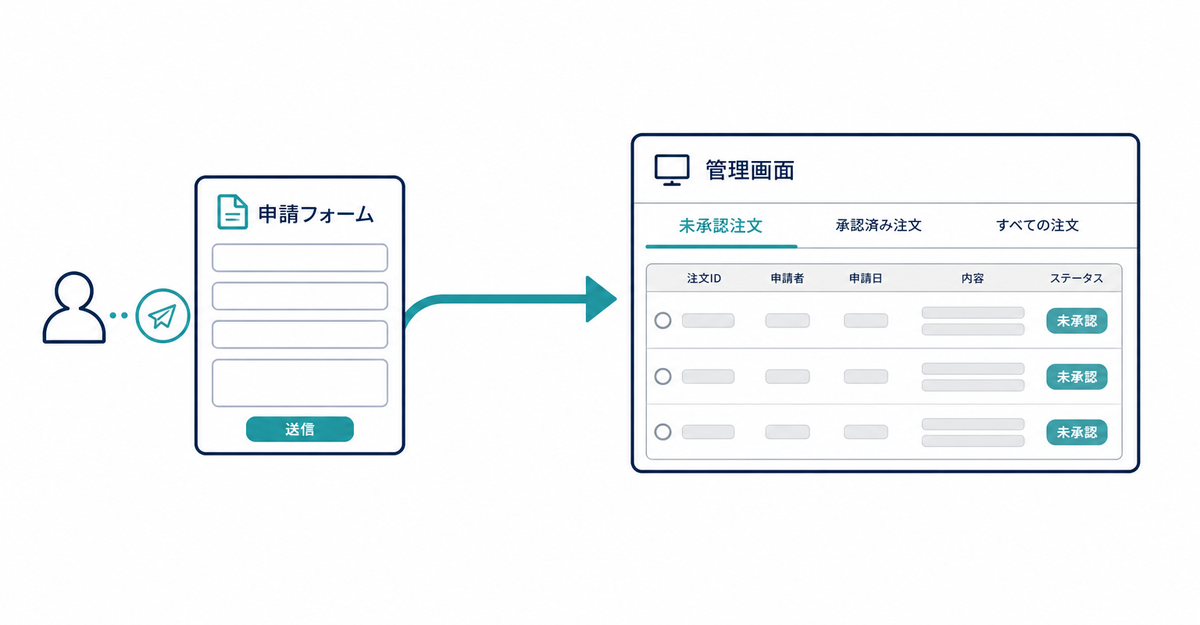
In short: To handle wholesale (B2B) sign-up with separate application and approval steps, use Shopify's company account requests feature. When a prospective customer submits the form, a company, a company location, and a customer are created automatically in the admin. Until a staff member reviews the details in Customers > Companies and approves the request, that customer can't place orders on the online store or access B2B pricing.
Key points
- Separate application and approval steps work through an application form built with Shopify Forms and the company account requests feature in the admin
- When the form is submitted, a company, a company location, and a customer are created automatically. You can't add customers to an existing company this way
- You approve requests from the Ordering not approved (「注文未承認」) tab in Customers > Companies, and finish by assigning permissions and a location
- Before approval, the customer can't place orders or access B2B pricing. There's an option to send a notification email on approval
- Howdy handles adding the sign-up form, showing company details on the profile page after approval, and routing customers to B2B forms. It doesn't handle the approval itself
How do separate application and approval steps work for wholesale sign-up?
They use Shopify's company account requests feature. When a prospective customer submits a form you've added to your store, a company, a company location, and a customer are created automatically in the admin. By default, a company created through the form can't place orders on the online store or access B2B pricing until a staff member approves it.
Source: Shopify Help Center: "Allow new B2B customers to request access to your store"
How do you set up the form for company account requests?
Install the Shopify Forms app and create a new form from Apps > Forms in the admin. Choose a popup or inline format, then click Company and customer (「会社とお客様」) in the fields section. To create company records automatically, the form needs fields for the company name and email address. Add the form you created to your online store. You can't add customers to an existing company with this form.
Source: Shopify Help Center: "Allow new B2B customers to request access to your store"
Which fields to make required besides the company name and email address depends on your wholesale terms, so it varies by store. Feel free to contact us.
Where do you approve requests in the admin, and what changes before and after approval?
Requests submitted through the form are listed in the Ordering not approved (「注文未承認」) tab in Customers > Companies. Open each row, review what was submitted in the metafields section, then assign a company location and permissions from Manage permissions (「権限を管理」) and continue to complete the approval. If you select Notify customers that they can start placing B2B orders (「B2Bの注文を開始できることをお客様に通知する」) on the approval screen, a notification email is sent to the company's contact. Before approval, the company can't place orders on the online store or access B2B pricing. To reject a request, delete the company.
Source: Shopify Help Center: "Allow new B2B customers to request access to your store"
Where does Howdy's sign-up form fit into this process?
Howdy is an app that adds a sign-up form to new customer accounts. It doesn't approve company accounts itself. If you add a company metafield block, you can show the company name and other details on the profile page after the company is approved. If you want separate forms for B2C and B2B customers, use the multiple forms feature to specify form IDs and route each button to a different form.
Sources: Howdy Help: "How to set up company metafields on the profile page" (Japanese) / Howdy Help: "Adding multiple forms" (Japanese)
Related articles
- How to add a sign-up form to new customer accounts (Howdy)
- How to collect company details from business customers at sign-up in Shopify: customer metafields
Frequently asked questions
Questions about new customer accounts? Ask us anytime.
Ask us about anything from designing your wholesale sign-up form to setting up a profile page that works with your approval flow. Our dedicated team at Howdy creates your customer metafields, sets up the fields in your sign-up form, and arranges the blocks on your profile page for free.